iOS, made for ADHD brains

Tasks for people whose brains don't do schedules.

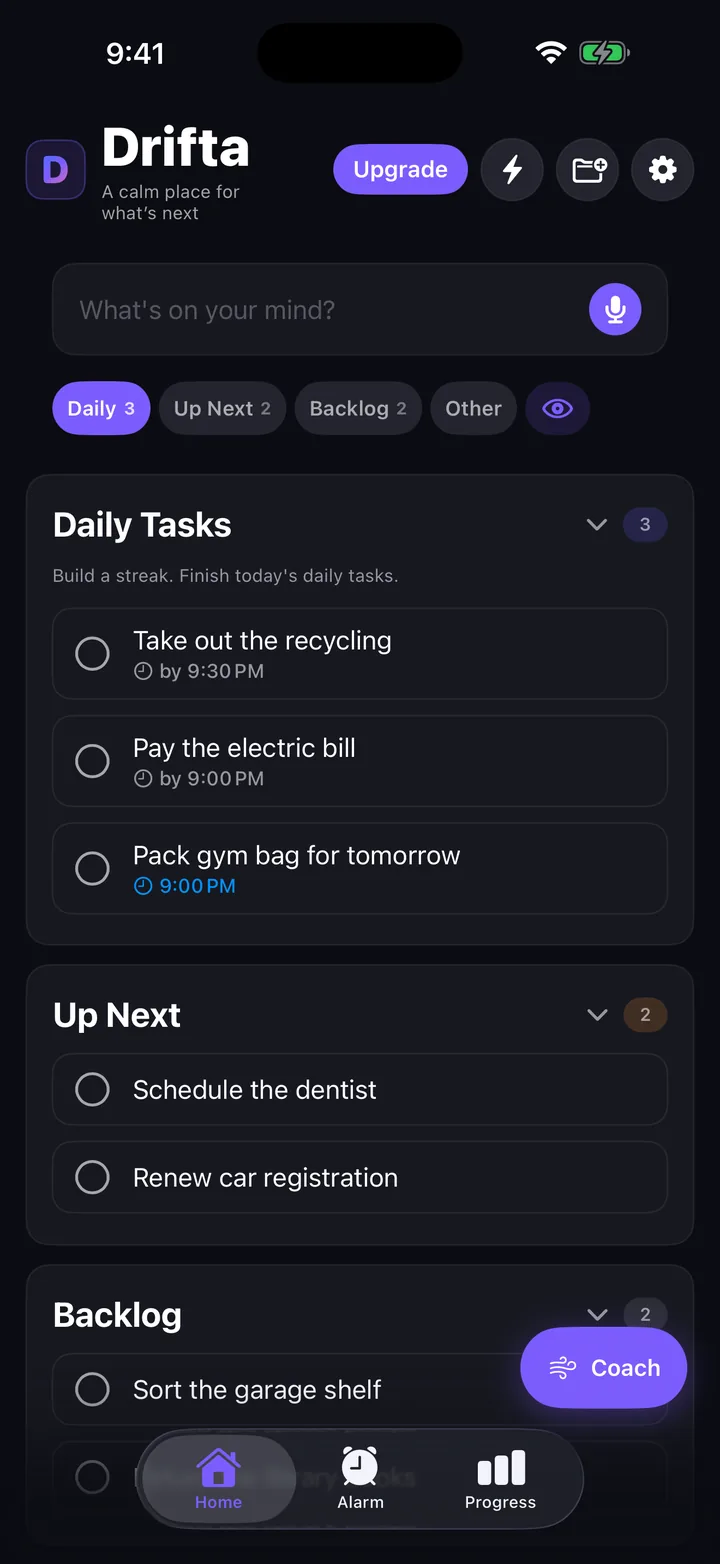
Drifta is a task list with one rule. Each task has its own window. Nothing nags you before you can actually do it, and reminders stay kind even when they get firm.

Free. Pro is optional. No ads, no trackers, no analytics.

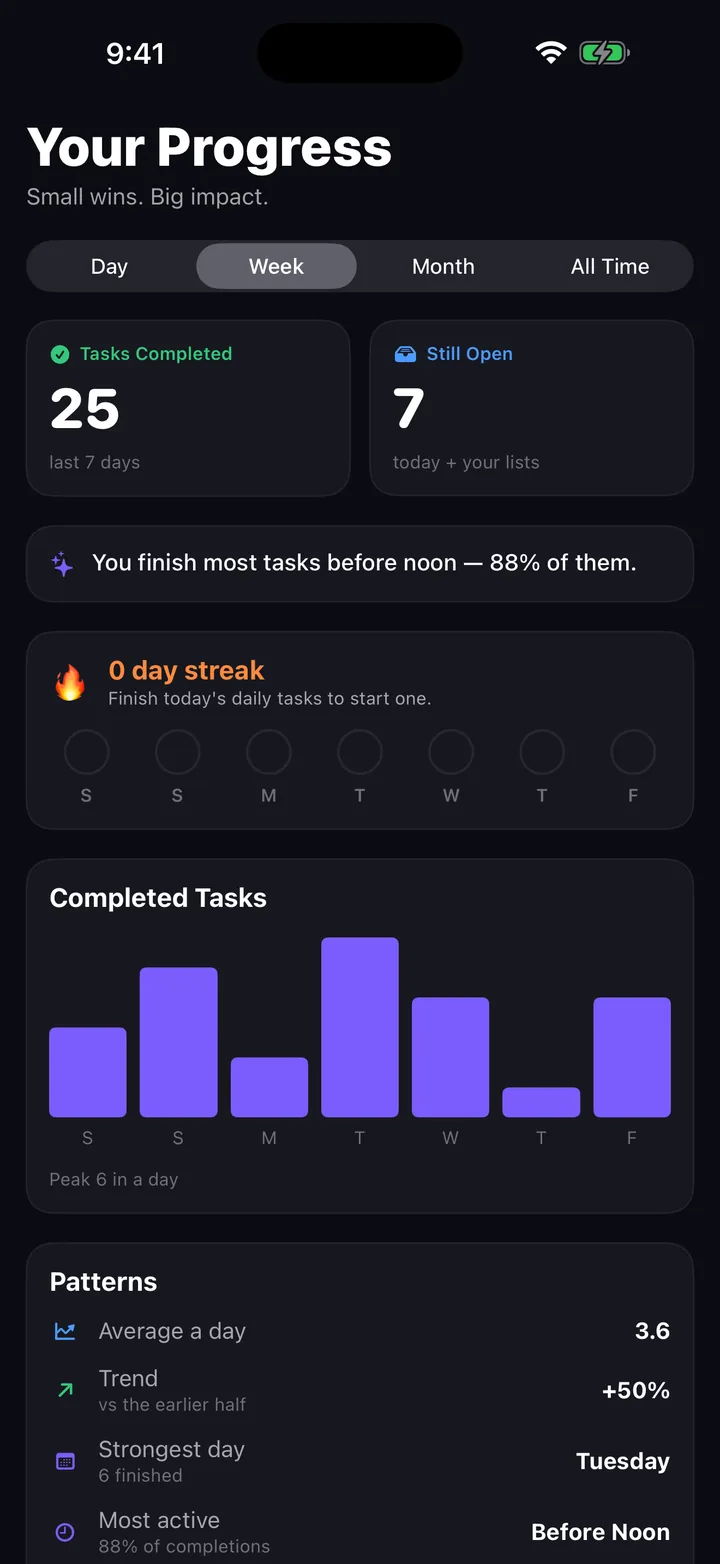
Drifta home screen showing a task list with time-window badges and a focus timer

Three things that make it different.

Most ADHD apps are regular task lists in pastel colors. Drifta picks the three problems that actually wrecked my days and fixes those.

🕒

Per-task time windows

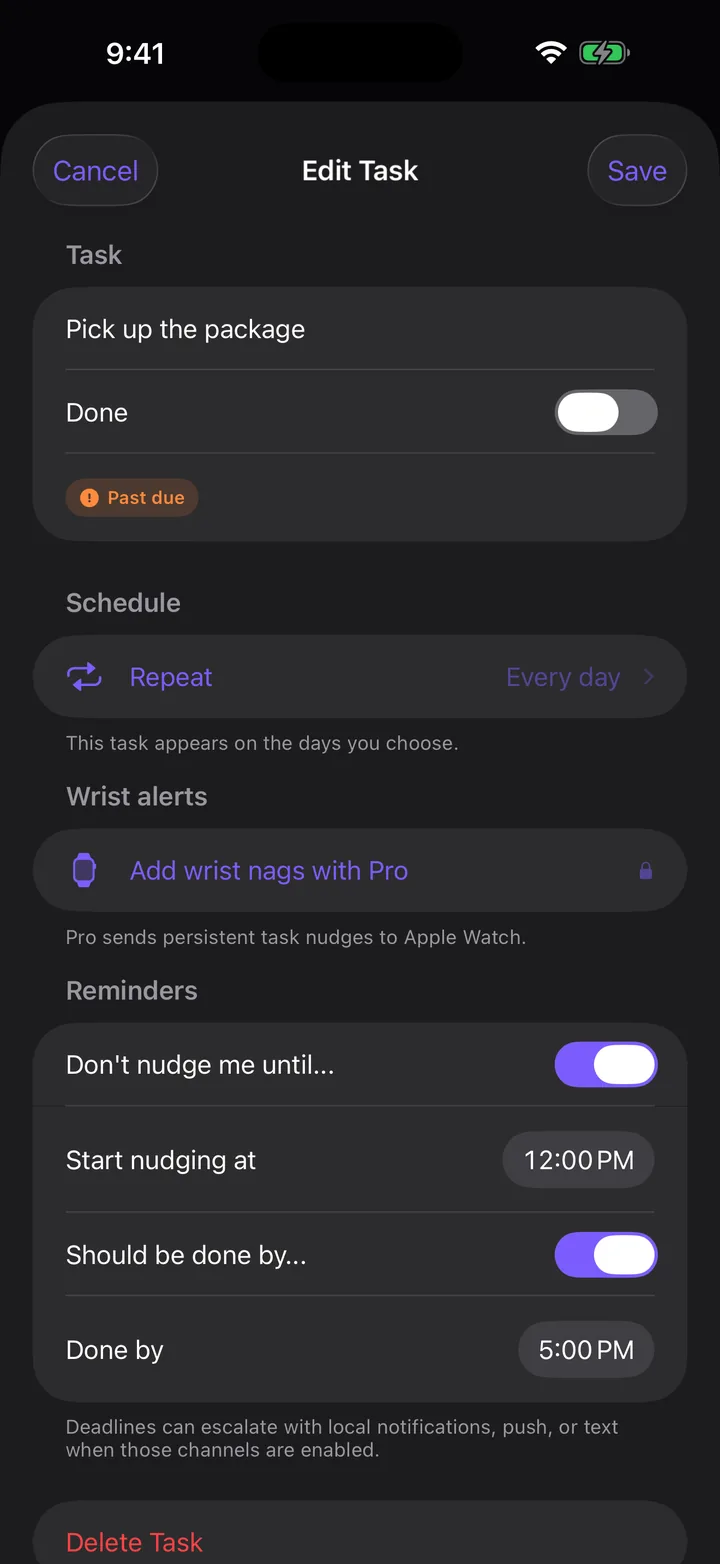
Tell Drifta "don't bug me before 9" and "this should be done by 5." It stays quiet until your window opens. No more buzzing you about an afternoon errand at 7 a.m.

🔔

Nudges that won't scold

Once the window opens, Drifta checks in every 15 minutes. Gentle at first, firmer once the deadline passes. Never shame-y. You can mark done or snooze right from the banner.

Focus timer + quiet hours

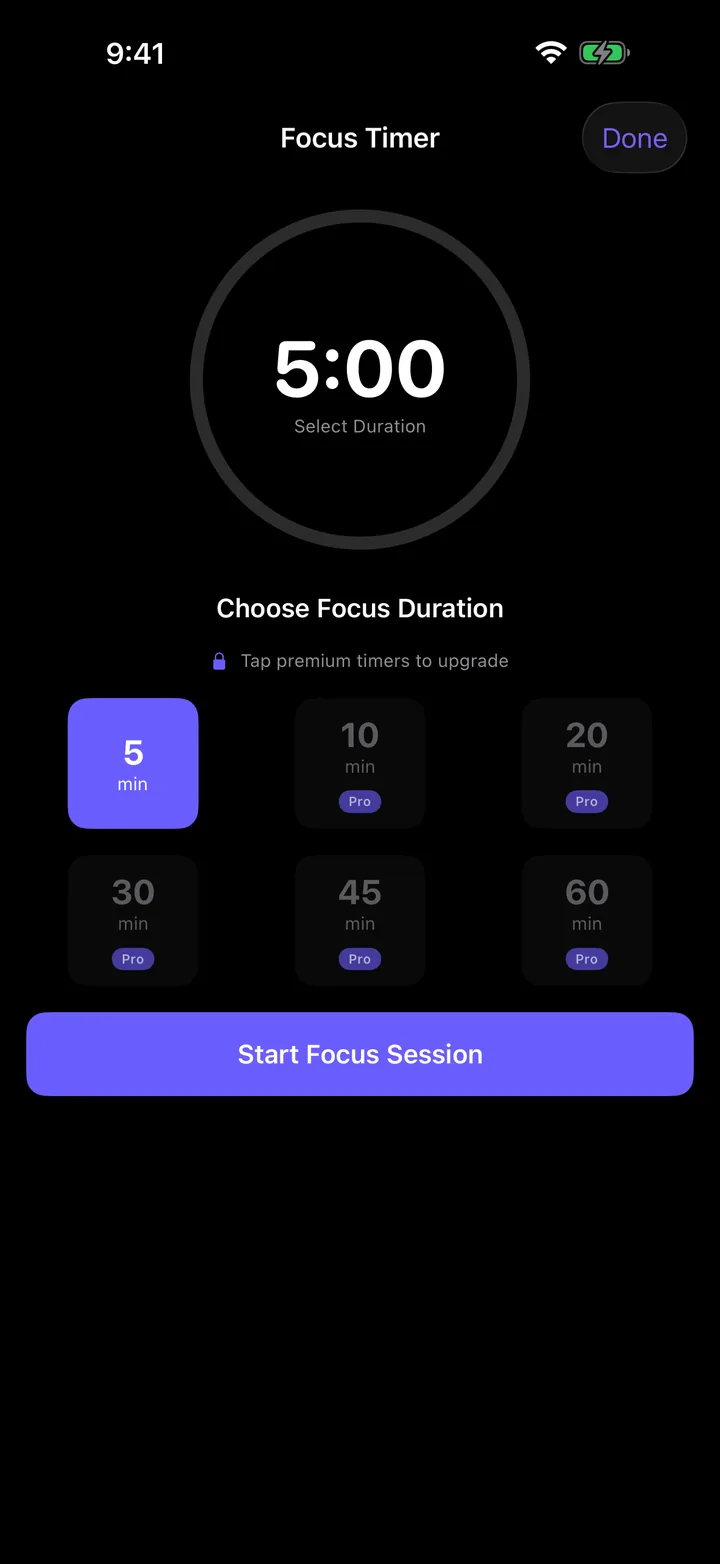
Five-minute focus timer is free, longer ones are Pro. Quiet hours are 10 p.m. to 7 a.m. by default and override every reminder. Your night is your night.

Pricing.

Free is actually useful. Pro pays for the AI coach and the long focus timers. Cancel anytime, no rug pulls.

Free
$0
  • Unlimited tasks
  • Daily, Up Next, and Backlog
  • Per-task time windows
  • Quiet hours
  • Five-minute focus timer

No paywall on the basics. Ever.

SMS reminders (Pro, opt-in)

If push and on-device alarms aren't enough, Drifta can also text you when a task or medication is overdue. It is off by default and tied to a phone number you verify in the app.

How you opt in:

  1. Install Drifta from the App Store.
  2. Open the app, grant notification permission.
  3. Go to Settings, then phone verification, and enter the one-time code we text you.
  4. In Settings, toggle "Send me text reminders" ON. The toggle is OFF by default.
  5. Tap "I agree" on the consent screen, which shows the verbatim message: "Drifta will text you reminders when tasks are overdue. Message frequency varies based on your task volume, typically 0 to 10 messages per day. Reply STOP to opt out. Reply HELP for support. Message and data rates may apply."

Message frequency: 0 to 10 per day, varies by your task load. There is no marketing or promotional content. Every message is a reminder you set up.

Message and data rates may apply. Drifta does not charge for SMS. Your carrier might.

Opt out any time: Reply STOP to any Drifta SMS, or toggle "Send me text reminders" off in the app. Either revokes consent immediately. Reply HELP for support details.

Privacy: SMS is delivered through Twilio. We send Twilio your phone number, the message body, and a delivery callback URL. We do not share your number with anyone else. Full privacy policy. Full terms, including SMS terms.

Why I built this.

I'm Logan. I have ADHD. I have tried every productivity app. Most of them assume you'll open them, plan your day, and stick to that plan. My brain has never done that on purpose.

The two things that actually help me: knowing a task can't be done yet so I'm allowed to ignore it, and being nudged when it's actually time. Every other app forgot one or the other. So I built the one I wanted, kept it warm, kept it quiet at night, and shipped it.

If it helps you, great. If you have notes, send them. support@drifta.app.

FAQ.

What if I miss the nudge?

Drifta keeps gently checking in every 15 minutes after the window opens. After the deadline it bumps up the tone a little. You can also turn on Obnoxious mode (Pro) for the tasks you absolutely keep ignoring, which re-notifies every 5 minutes until you tap done or snooze.

Will it keep nagging me forever?

No. Quiet hours stop everything between 10 p.m. and 7 a.m. by default, and you can change that to anything. Mark the task done or snooze and the nudges stop. You're always one tap from peace.

Does it work without internet?

Yes. The whole task list, the timer, the windows, the nudges, all on-device. The only feature that needs internet is the AI coach, since it talks to a model on the backend.

What data does Drifta collect?

None of the usual stuff. No analytics, no trackers, no advertising IDs. Your tasks live on your device. The AI coach sends your current task list to our backend only when you actively chat with it, and we keep nothing after the reply.

Is the free version actually usable?

Yes. Unlimited tasks, time windows, quiet hours, and a five-minute focus timer. Pro is for the AI coach, voice capture, custom lists, longer focus sessions, and obnoxious mode.

Why iOS only?

Because I'm one person and I had to pick. Android and a watch app are on the list. If you want them, vote with an email.

What's the refund policy?

Subscriptions are billed through Apple, so refunds go through Apple too. Email support@drifta.app and I'll help you get one started.

How do the SMS reminders work?

SMS reminders are an optional Pro feature that is OFF by default. To turn them on, install Drifta, complete the in-app phone verification by entering a one-time code we text you, then go to Settings and toggle "Send me text reminders" on. You will be shown a consent screen with the verbatim text: "Drifta will text you reminders when tasks are overdue. Message frequency varies based on your task volume, typically 0 to 10 messages per day. Reply STOP to opt out. Reply HELP for support. Message and data rates may apply." Tap "I agree" to start. Reply STOP to any Drifta SMS to stop all future messages, or toggle the setting off in the app. SMS is delivered through Twilio. See the SMS reminders section and the privacy policy for the full details.